For businesses
Everything your business does,
in one world.
Not a website builder, a POS, an accounting tool or a marketplace — all of a business's relationships in one connected system. Serve your customers and run the business from the phone you already own; work with other businesses as the network grows.
Today
₹0
Orders
0
Queue
0
Due
₹0
This week
+18%
Live orders
Needs you
Building blocks & gadgets
Pages. Gadgets. Blocks.
Every world is assembled from the same catalog. A restaurant, a clinic and a recycling collector use different pieces in different arrangements — and every improvement to the platform reaches every kind of business at once.
Pages
Living documents with permissions and a complete history. Shared alone or linked to each other.
Gadgets
Blocks that do things: take an order, book a slot, run a queue, hold a conversation, request a rider, take a payment.
Blocks
The pieces a page is made of — text, photos, maps, documents, links. Rearranged and reused without rebuilding.
Pages a world can have
A page can say anything a business needs to say.
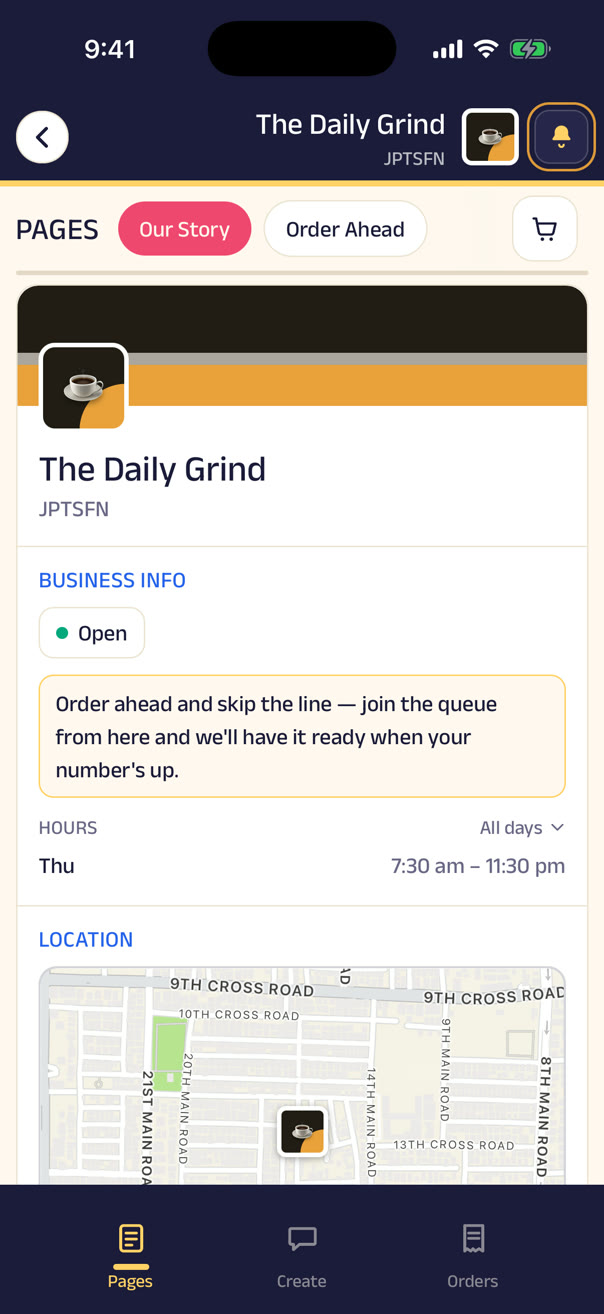
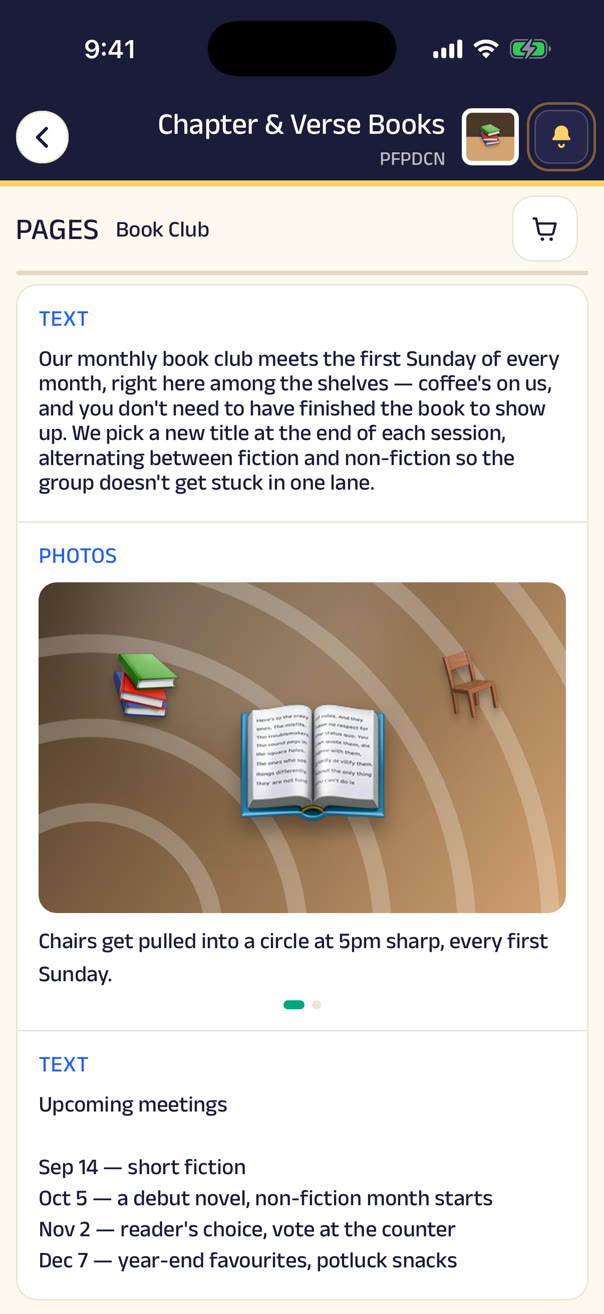
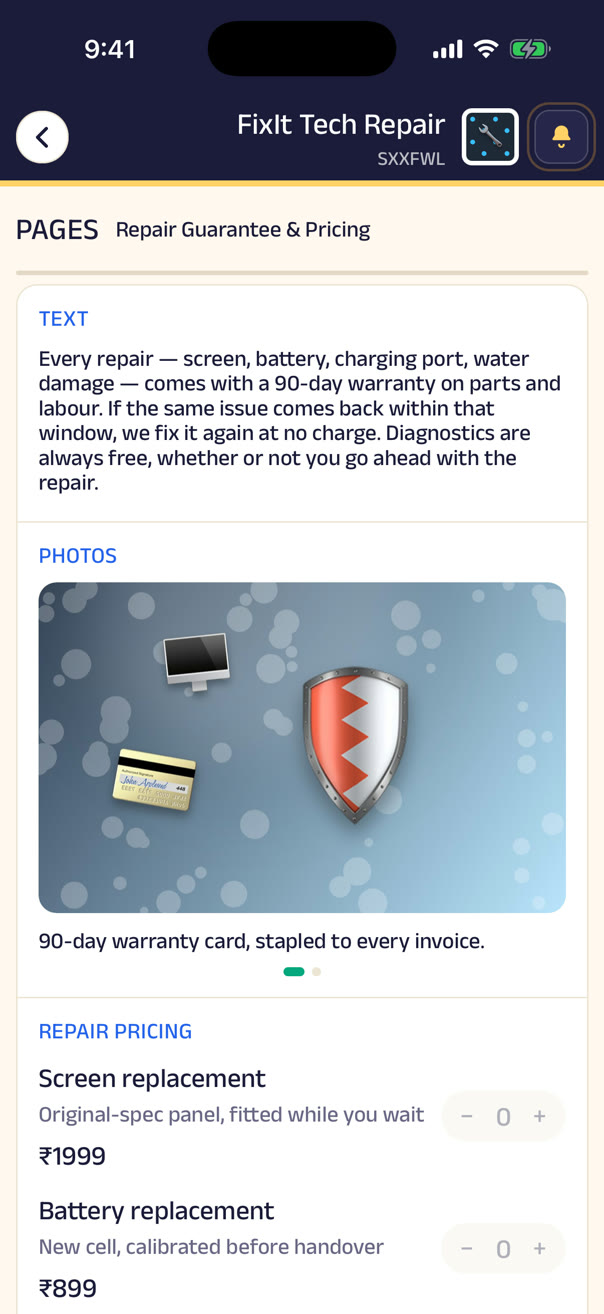
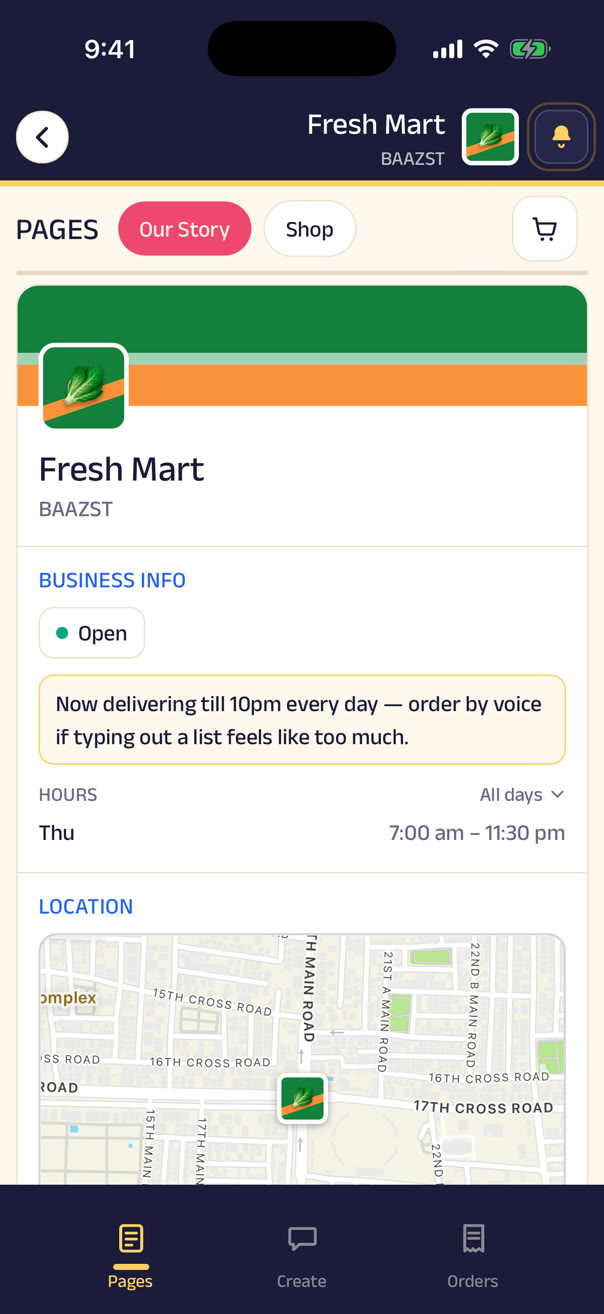
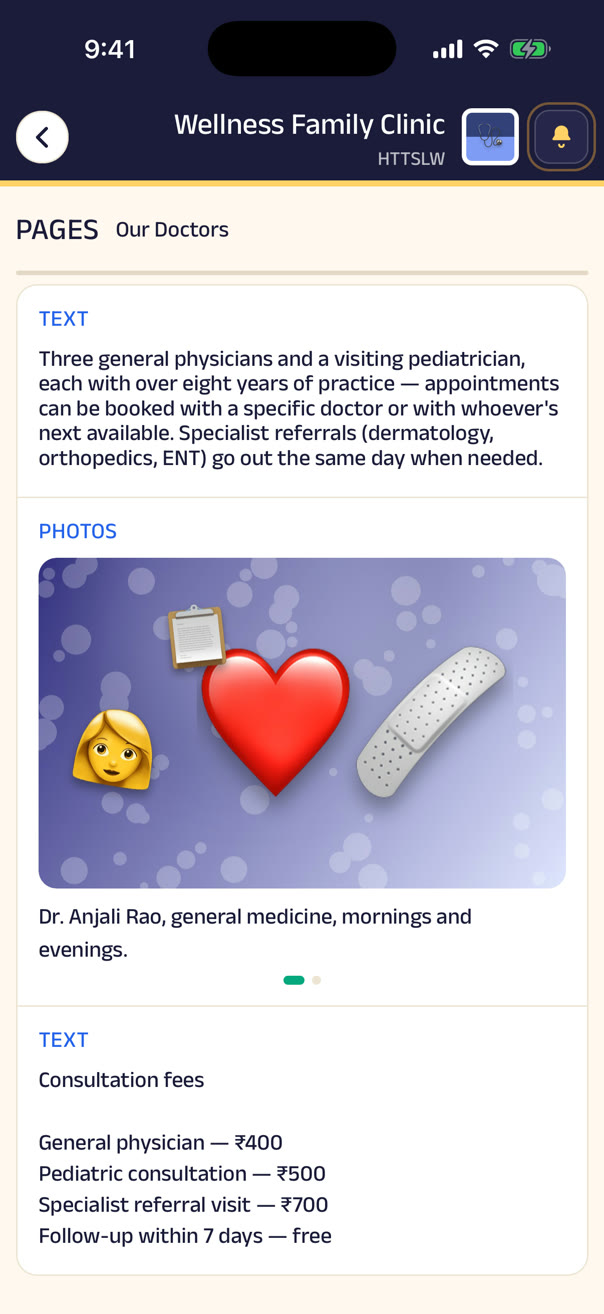
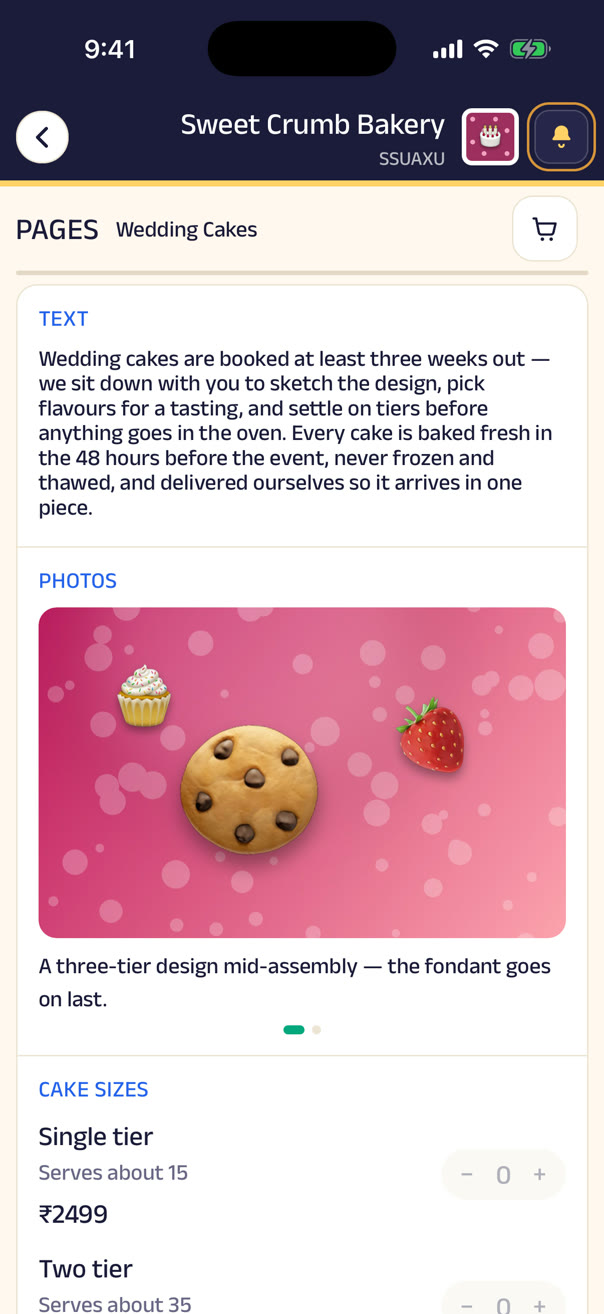
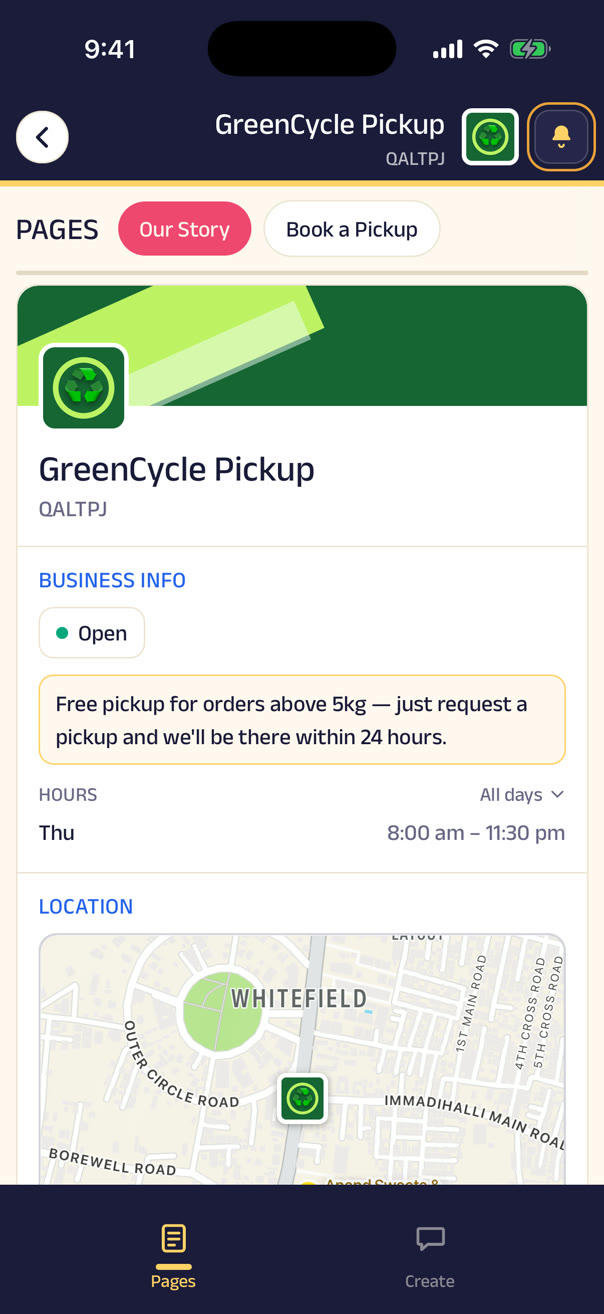
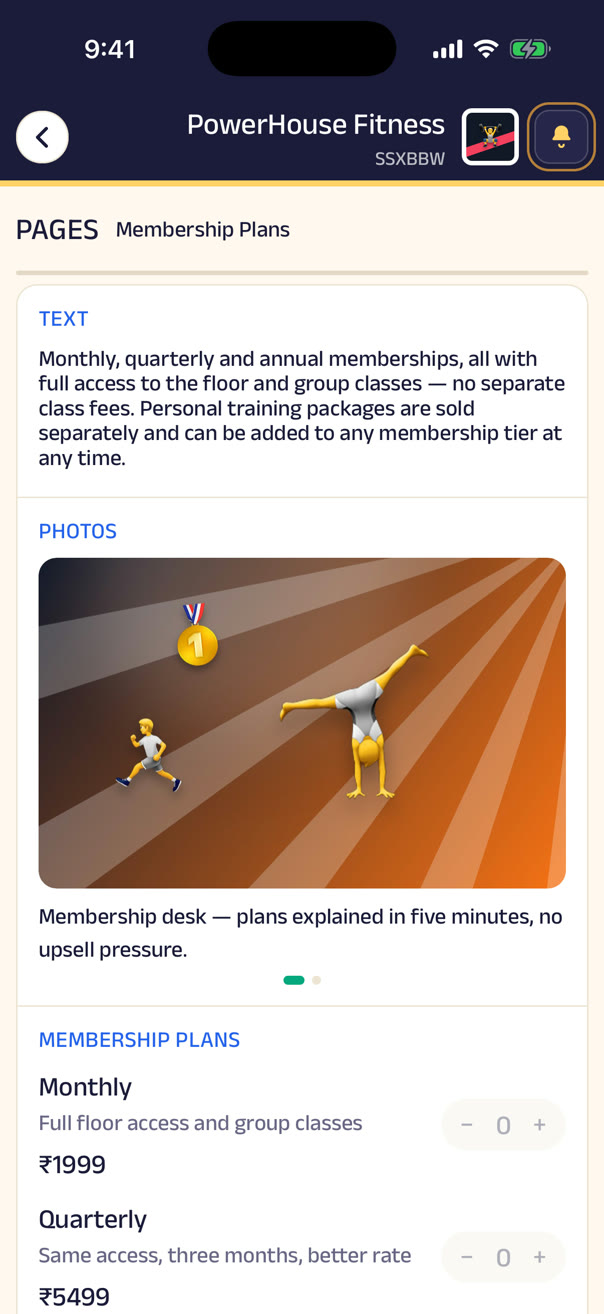
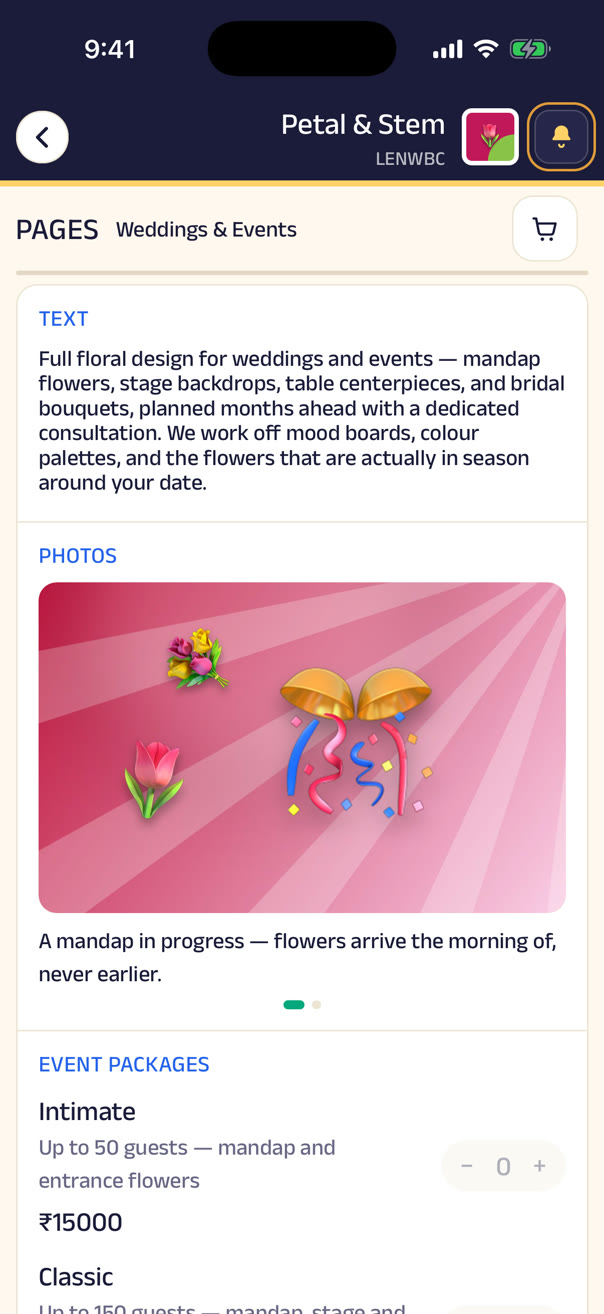
The page a customer lands on: who you are, when you're open, where to find you.
A page is a stack of blocks — words, photos, a video, a map, a document, a link to another page — so the same tool writes the shop's history, lists the wedding-cake tiers, shows the doctors on duty, or explains what the repair guarantee covers.
Nothing about it is fixed by us. The business names it, fills it, reorders it from a phone, and chooses who can edit it. A page can sit in the main navigation, hang off a button on another page, or be shared on its own.
The catalog
Every gadget and block, at a glance.
Pick anything on the left to see it in the app — real captures from the showcase businesses.
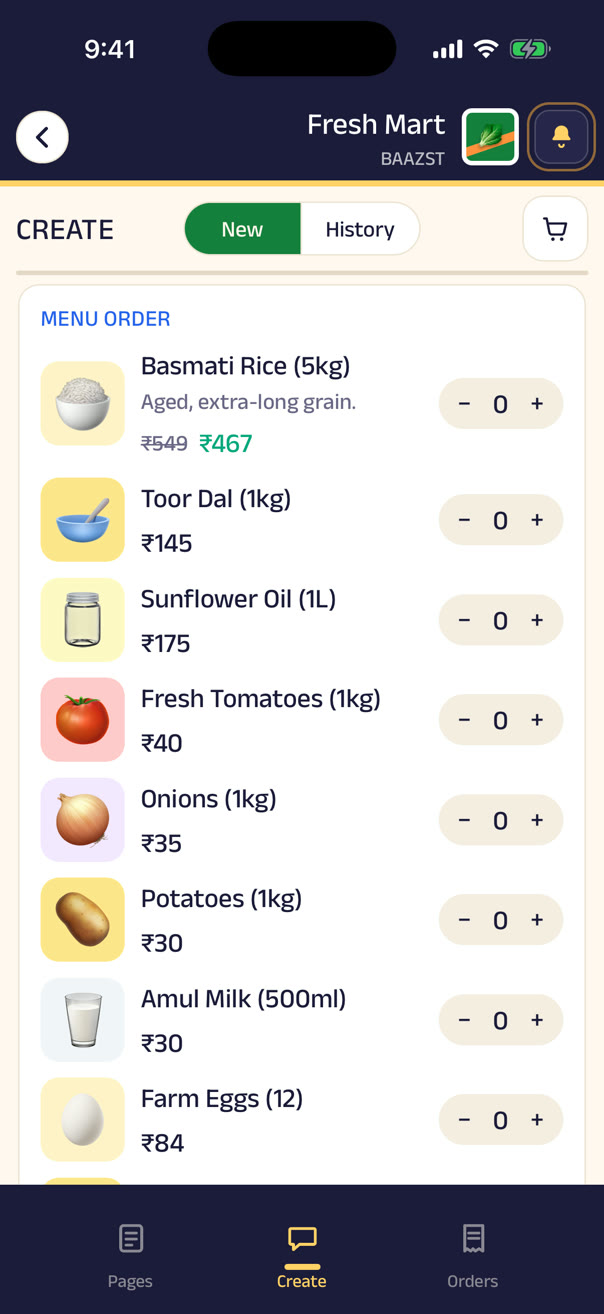
Catalog & menu
The restaurant menu, the grocery catalogue, the price list. Items carry photos, descriptions, and discounts; the cart is built in.
Gadgets
Blocks
Infinite ways to combine them
Combine blocks and gadgets to build a world for any business.
Every business below is built from the same catalog above — just arranged differently.
 Spice Route KitchenRestaurantA restaurant that takes orders by voice, seats by waitlist, and hears back from every table.
 The Daily GrindCafeA cafe where the morning rush orders ahead and the counter never has a line.
 Sweet Crumb BakeryHome bakeryA home bakery that sells the everyday loaves and books the wedding cakes.
 Fresh MartGrocery storeA neighbourhood grocer that takes the whole shopping list as a single voice note.
 MedPlus PharmacyPharmacyA pharmacy where you send the prescription, not the whole list.
 Wellness Family ClinicClinicA clinic that books appointments, runs a walk-in queue, and keeps your reports where you can find them.
 Glow Studio SalonSalonA salon with appointments for the planned and a queue for the walk-ins.
 PowerHouse FitnessGymA gym that books trainers, manages class capacity, and posts its own rules.
 Meera's TailoringTailoringA tailor who keeps your measurements, books your fittings, and shows the last thing she made you.
 FixIt Tech RepairElectronics repairA repair shop that takes the fault as a message, the device by appointment, and keeps the warranty on file.
 Paws & Claws Pet CarePet groomingA groomer that books by pet, remembers the vaccination card, and shows every haircut.
 Petal & StemFloristA florist that sells bouquets today and books the wedding for next spring.
 Chapter & Verse BooksBooksA bookshop where you ask for a title and join the book club from the same page.
 Urban ThreadRetailA clothing store that sells online and hears what customers think.
 GreenCycle PickupRecycling collectionA recycling collector you book a pickup from — no shop, no counter, no menu.
No special hardware
Your business runs on the phone you already own.
No POS system to buy, no software to install, no counter computer. Zuno is web-based, so the devices a business already has become its business tools — and a laptop opens the same console with a larger view when you want one.
The owner
The whole business in a pocket — orders, inquiries, the team, today's numbers — from anywhere, not an office.
The counter
A staff phone takes orders, answers customers, records payments and shares the QR. That's the point of sale.
The rider
Receives the job, navigates to the customer, updates the status on the way.
The manager
Sees new orders and unread conversations as they land, who's on shift, and every change made — phone or laptop.
A smartphone is a business terminal, a manager's dashboard, an employee's workstation, and a customer's connection to the business. Don't buy new hardware to use Zuno — the technology is already in your hands.
Orders
Every order has a number, a status, and a customer who can see both.
Orders arrive however the customer chose to send them — the cart, a voice note, a typed request, or your own counter — but whichever way they arrive, they land in one list with a number and a status. One tap moves an order to the next step and the customer is told automatically; pickup and delivery orders simply follow their own path from there. Moving the status is the only thing you have to do.
- Order created9:04 am · from a voice note
- Processing9:06 am · Priya, at the counter
- 3Ready for pickup9:21 am · waiting on the shelf
- 4Out for deliveryRider assigned, live on the map
- 5ClosedPaid, receipted, in both histories
Voice & text orders
Customers ask in their own words. No list to scroll.
A catalog only helps when the shop has one and the customer will scroll it. Plenty don't, and plenty would rather just say what they need — a voice note for the weekly groceries, said the way they'd say it at the counter, or a typed request for what isn't on any list: “do you have this book?” Either way, you read it, reply, and turn it into an order with a price — landing in the same list as everything else.
Voice order · Fresh Mart
“Bhaiya, one bread, twelve eggs, and two packets of milk — the usual.”
Text order · Chapter & Verse Books
Do you have Sapiens in paperback? And anything by Ruskin Bond for a 10-year-old.
You reply, price it up, and it becomes an order
Your callPaper is okay
Keep the receipt book. Photograph what matters.
Nothing about how the shop already works has to change. Still writing bills by hand? Photograph one and attach it to the order — the paper bill, the delivery note, the screenshot of a transfer that happened outside Zuno, all of it can live on the order. Customers attach their own, too: a UPI payment screenshot, a prescription, a reference photo. Everything sits together, findable months later by either side, so the record is complete even when the process isn't digital.
Order #1070 · Spice Route Kitchen
ClosedAttached by the shop
Paper bill · photo
The one from the receipt book, as it was written
Attached by the customer
UPI payment · screenshot
Proof of the transfer they already made
Both stay with the order — findable months later, by either side.
Delivery
When it's ready, request a rider.
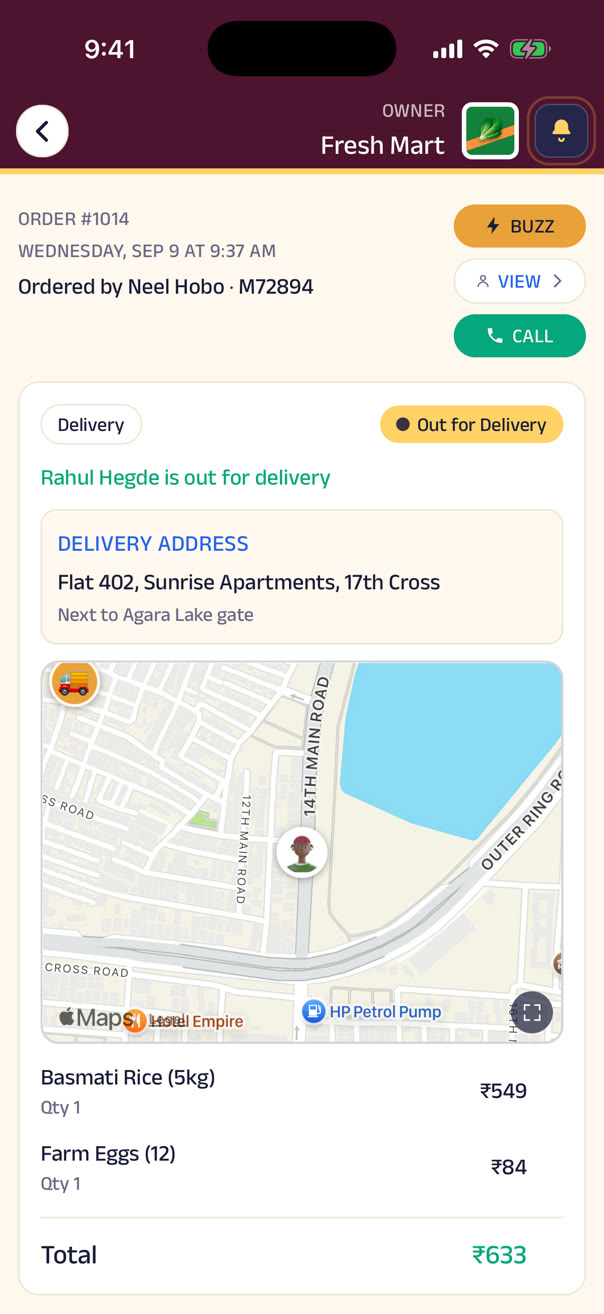
Customers drift to the big apps because local shops can't coordinate deliveries. In Zuno, delivery is a request: independent delivery businesses on the network see it, one accepts, and you and the customer both watch the map — no fleet of your own to run. It's the first piece of the business network that's live today.
Payments
Paid by UPI. Settled to your account. Nothing to reconcile by hand.
The customer pays with whichever UPI app they already use — GPay, PhonePe, Paytm, any of them, one integration — and it settles to your account and is recorded against the order and the customer. Manual orders and cash get recorded the same way, so nothing needs reconciling by hand.
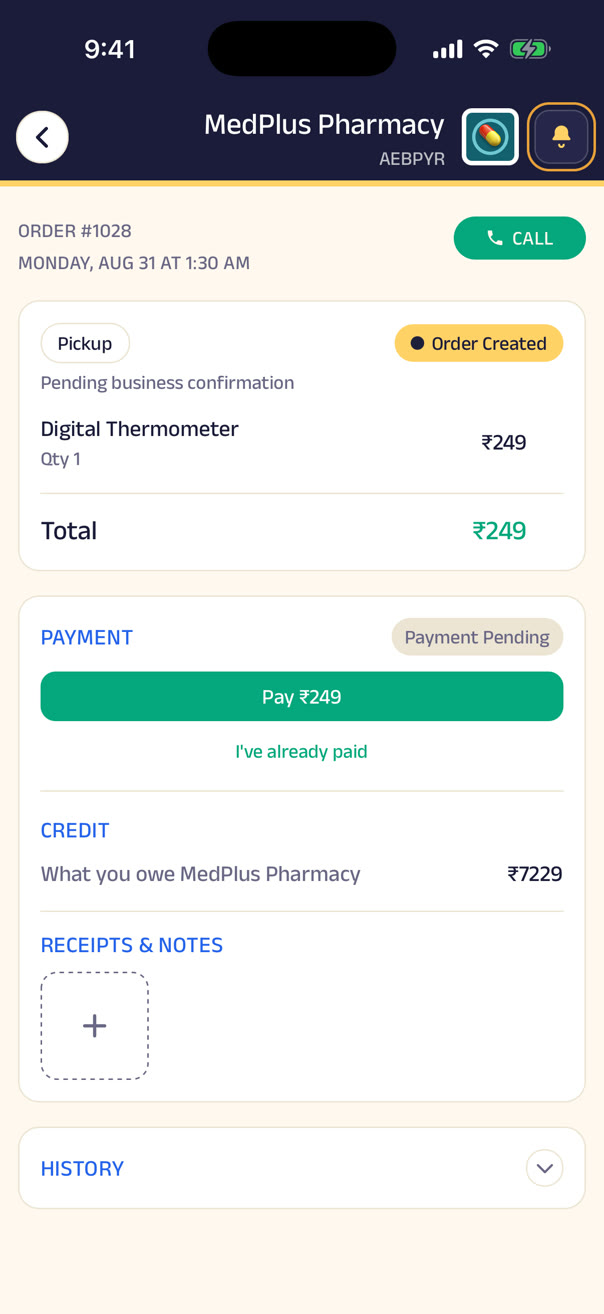
Calls & buzzes
No customer ever gets lost calling you. And you never have to call just to say one thing.
Tap Call business and Zuno decides who should answer — rank up to three people to take calls, and if one doesn't pick up, the customer tries the next, so nobody redials a shop that isn't picking up. A call about an order reaches whoever's actually on it — the rider, or the teammate it's assigned to — so nobody at the counter fields a “where's my order?” the rider could answer.
A buzz is for what needs attention but not a conversation: “your order is ready”, “you're up, head over now”. It takes over the customer's screen like an incoming call, so it isn't lost among notifications.
Customer calling
“Do you have this in stock?”
Ritu Reddy
Manager · 1st priority
Busy? Try next available →
Karthik Kulkarni
Staff · 2nd priority
Customer calling
“Where is my order?”
Rahul Hegde
Delivery driver · carrying this order
Buzz customer
Order #1070 is ready — no call needed
Buzz
Spice Route Kitchen
Your order #1070 is ready for pickup.
Queues, appointments & more
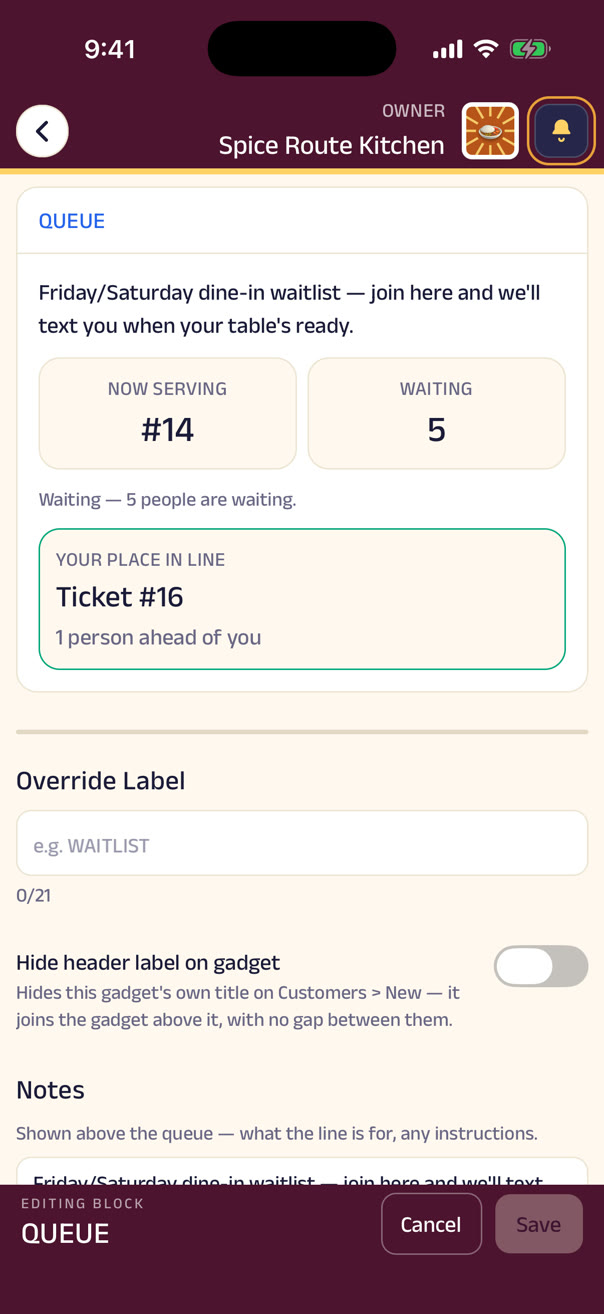
The line at the door becomes a list on your phone — and that's one gadget of many.
A queue for walk-ins, appointments booked against the hours and services you set for the planned, reserve-a-spot for a class with a capacity — a 6pm Zumba, a Saturday workshop. A salon uses two of these, a clinic another two, a gym a third — the same handful of gadgets, arranged differently. Loyalty tiers, promotions, feedback, reviews, forms and documents are all there too, switched on when you want them.
Nothing is bundled: every gadget is one switch, and the ones you skip aren't part of your world. See the full catalog →
Run your business
Not a webpage about your business. The living model of it.
What you sell, buy, own and owe — connected in one place instead of a POS, a notebook, a spreadsheet and three WhatsApp groups. One order moves the stock, the sales, the ledger and the delivery at once.
Operations
An order isn't just an order. It moves everything it touches.
A catalog and inventory carry quantities and prices per location, and purchases from suppliers get recorded straight against that stock. Because the pieces are connected, an order — whether it's from a customer, another business, or a project — automatically affects inventory, the sales record, the customer's history, the delivery, the payment and the financial picture. Nobody re-enters anything into a second system.
Order #0231
₹840 · Fresh Mart
2 × rice 5kg · paid by UPI
Stock
−2 units
Sales
+₹840
Customer history
Anita · 12th order
Delivery
Rider requested
Ledger
Receivable +₹840
Business credit
Goods now, payment later — with a ledger both sides can see.
Local commerce runs on trust and a notebook. Zuno doesn't ask anyone to stop — it gives that relationship a shared, reliable record nobody argues about. Terms, limits and settlement dates get agreed once; after that, partial payments and the running balance just update the same ledger, with the retailer seeing what it owes and the wholesaler seeing every receivable.
Sharma Wholesale → Fresh Mart
Limit ₹50,000- 12 AugSupplied · rice, dal, oil+₹18,400
- 19 AugPartial payment · UPI−₹10,000
- 26 AugSupplied · sugar, tea+₹6,200
The financial picture
Sales are up. Profit is down. Now you know why.
Delivery costs eating the small orders. One location out-performing the other. The gift boxes that sell well at a terrible margin. Bookkeeping shows totals; a connected model shows why — every expense category sits next to revenue, whether entered by hand or generated from your own activity in Zuno, broken down into margins by product, category and location, and into exactly where capital is tied up in slow stock.
Revenue
₹0
Costs
₹0
Profit
₹0
24% marginRevenue vs costs
Margin by product
Receivables
₹18,400
Payables
₹14,600
Many profiles, one business
A grocery store is rarely just a grocery store.
It sells to consumers, buys from wholesalers, supplies restaurants in bulk, caters events. A profile for each role, one business underneath — each with its own identity, audience, conversations, data and permissions, and none of it leaking into the others. Different teams can run different profiles day to day, while the owner keeps control of all of them.
Customer profile
Where people discover the store, browse, order, pay and chat.
Wholesale profile
Where the store finds suppliers, places purchase orders, tracks what it owes.
Collaboration profile
Where other businesses and projects find what the store can offer — bulk supply, catering, delivery.
People management
Everyone who works here — their access, their hours, their time away.
Add people by phone number and choose a role — and that role decides which pages, blocks and actions they can touch, down to a single gadget. The same place tracks who's on shift, who's off, and whose leave is waiting on an answer.
Owner
Full control — every block, every page, every setting. Owners can add or remove anyone, but removing an owner needs that owner's own consent, so nobody is locked out of a business they run.
Manager
Edits pages and blocks, handles orders and inquiries, invites and removes staff. The day-to-day, without the settings only an owner should change.
Staff
Sees only the blocks they've been assigned — the menu, the counter, the queue — so someone new is productive on their first shift.
Access can be tightened block by block — one page or gadget locked to a stricter role than the rest of the shop. And it works the other way just as fast: remove someone, and every door closes immediately. No separate step to revoke a login, nothing to clean up.
Shifts, attendance & time off
Who's working, who's off, who's asked for Friday.
Roles and departments decide which blocks each person can edit, and the same place tracks shifts, attendance and hours, with holidays on the calendar. Leave gets requested and approved right here, and its cost flows straight into the financial picture. For a business with two locations or shift work, the manager's phone shows who's in, who's absent, and where another pair of hands is needed — the same access model that decides who can edit the menu also decides who can approve a day off.
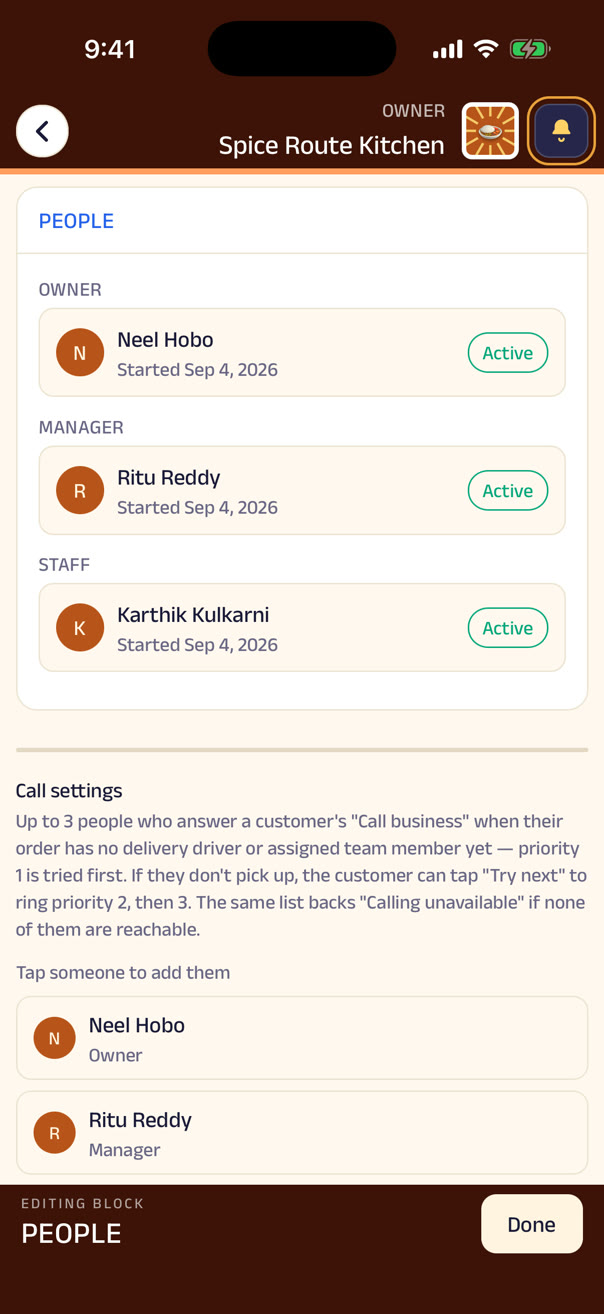
What access looks like
One owner, two managers, three staff — each seeing exactly what their role allows.
The owner reaches everything. Both managers share the same run of the business — pages, orders, the team — with neither outranking the other. Every staff member reaches orders and inquiries; Meera, who keeps the menu, also reaches pages and blocks. When Rajesh's shift ends and he leaves the team, his access goes with him — instantly, not eventually.
Owner
Managers
Staff
History & audit
Every change, remembered — by whom, and when.
A price edited, a page rearranged, a role upgraded, a day off approved, an order marked paid — each one is logged the moment it happens, with who did it and exactly when. Nobody has to remember to write it down, and nobody can quietly edit the record afterwards. It's there for every block, every order and every team change from day one, so “who changed this, and why” is a scroll through History, not a round of asking around. When two owners share a business, or a manager has to explain a decision, the record is already sitting there, complete.
The Assistant
An assistant that knows your business — and never acts without you.
Ask about profit, stock, customers or credit in plain language and get answers from your own data. Say “record ₹2,000 rent” and it's drafted — saved only when you approve. Not a chatbot for its own sake: a way to make every part of Zuno easier to use.
Coming soonBeing added one feature at a time.
The Assistant
What's running low?
What did I pay for those last time?
Draft a purchase order for all six at the latest prices.
Send it. Anything else I should look at?
Ask your business anything
“How much did I make this month?”
₹2,41,300 revenue, ₹58,900 profit — up 6% on July.
“Which products have the highest margin?”
Masala chai (68%), samosas (61%), filter coffee (57%).
“What are my biggest expenses?”
Salaries ₹64,000, rent ₹35,000, delivery ₹11,200.
“Who owes me money?”
₹38,400 across nine credit customers. Two crossed 30 days last week.
“Which customers haven't ordered recently?”
Fourteen regulars have gone quiet in 30 days. Want a list?
“How much stock is sitting unsold?”
₹22,000 in items that haven't moved in 60 days. Six of them are seasonal.
“And ultimately — how healthy is my business?”
Profit's up, margins are steady, and receivables are the one thing to watch this month.
Do it by saying it
Coming soon“Record ₹2,000 rent.” “Approve Priya's leave.” “Create an order for Anita.”
Type it or say it — voice works everywhere — and the assistant turns a sentence into a structured action: an expense with a category and a date, an order with items and a customer, a leave approval on the calendar. It drafts the record and shows it to you, then stops and asks. Nothing is saved, sent, or charged until you confirm. That pause is the whole design.
You said
“Record two thousand rupees electricity, paid today by UPI”
Expense · Electricity · ₹2,000 · today · UPI
Paper, understood
Coming soonPhotograph the invoice. Zuno reads it.
“Paper is okay” was always the principle. Now the photo doesn't just get attached — it gets understood. Invoices, receipts, handwritten orders, supplier bills, delivery notes: photograph any of them and it's extracted into a structured record — supplier, items, amounts, dates — for you to confirm before anything is saved. The handwritten receipt counts in today's sales. The supplier's bill lands in the credit ledger. Nobody types a number.
Sharma Wholesale
Purchase · read from photo
Supplier Sharma Wholesale · Due 26 Sep
Save as purchase?
Voice → records
Coming soonFor everyone who'd rather talk than type.
The same voice-first idea that lets a customer order by voice note lets a shopkeeper run the business by it — for the owner and for staff alike. Voice messages become orders, notes, tasks and records, confirmed with a tap: “Add 20 kg sugar to stock.” “Note: Mehta wants the sofa delivered Sunday.” Said, understood, saved.
Hold and talk · Hindi, English, or both
What Zuno heard
“Add twenty kilos of sugar to stock”
- Item
- Sugar
- Quantity
- 20 kg
- Recorded
- Today
“Note: Mehta wants the sofa delivered Sunday”
- Customer
- R. Mehta
- Note
- Sofa delivery
- When
- Sunday
“Two thousand rupees electricity, paid by UPI”
- Category
- Electricity
- Amount
- ₹2,000
- Paid by
- UPI
It watches so you don't have to
Continuous analysis, plain-language alerts.
Sales, inventory, expenses, customers, employees, credit and payments — analysed all the time, surfaced only when something deserves attention.
Low stock
“Basmati runs out Thursday at this rate — reorder 40 kg from Sharma Wholesale?”
Declining sales
“Weekday lunch orders are down 18% over three weeks. It started when the office next door closed.”
Overdue payments
“Two credit customers crossed 30 days. Send reminders?”
Rising expenses
“Delivery costs are up 40% — mostly orders under ₹300.”
Slow-moving products
“₹22,000 is tied up in stock that hasn't sold in 60 days.”
Customers going quiet
“Fourteen regulars haven't ordered in a month. Here's who.”
Forecasts & recommendations
Before it happens, not after.
When stock runs out
And what to reorder, from whom, before it does.
Where margins are slipping
By product, category, and location — before the month closes.
Who's becoming inactive
So a message goes out while they're still a customer.
Marketing help
Segments, suggested offers, a promotional message written for you — sent only when you say.
Collaboration
Small businesses don't need to become big. They need to be connected.
Delivery is live today: any business can request a rider from the network. The rest of the network — capabilities, discovery, Projects, wholesale — arrives one feature at a time.
Coming soonBeing added one feature at a time.
Delivery network
Any business can request a rider; independent delivery businesses accept. No fleet of your own.
CapabilitiesComing soon
Say what you can do — “deliver within 15 km, up to 50 kg, same-day, 3 vehicles” — and be found for it.
Capability-based discoveryComing soon
Find a partner by what they can do, not just their category. “Who can move 300 chairs tomorrow?”
ProjectsComing soon
A shared workspace around a goal — a wedding, a renovation, a bulk order — with participants, tasks, chat, documents, payments.
Wholesale & procurementComing soon
A wholesale profile for buying: find suppliers, place purchase orders, receive invoices, track credit.
Stay independentComing soon
Come together for one project, then go back to your own business. No merging, no giving up control.
Project management
Coming soonOne shared project for a wedding, a concert, a renovation — anything too big for one business.
A wedding needs a venue, a caterer, a decorator and a photographer. A concert needs a venue, security, sound and ticketing. A birthday party, a corporate offsite, a home renovation, a bulk order — each pulls in a handful of independent businesses who've never worked together before and now have to, on a deadline, anything with more than one business involved. Zuno turns any of these into one shared project instead of twenty phone calls and a dozen WhatsApp groups.
A project is open to people and businesses alike — a family planning a wedding, or a venue running one for a client. Everyone invited, whether another business or a person, gets their own tasks and sees only their part; whoever created the project sees the whole thing, tracked task by task, at any moment.
Venue14 Dec
- Confirm booking
- Seating capacity
- Power requirements
Decoration14 Dec
- Stage design
- Lighting
- Setup: 12 December
Catering14 Dec
- Final menu
- Guest count
- Service staff
Photography14 Dec
- Ceremony
- Reception
- Final delivery
Four businesses, one wedding
One shared home, instead of twenty phone calls.
Whoever's in charge coordinates the plan and sees the whole of it; each business sees only its own part. Marketplaces ask “what are you selling?” Zuno will ask “what can you do?” — so a project needing 300 chairs moved tomorrow finds the business that can.
Coordinated by the assistant
Coming soon“We're planning a 300-guest wedding on 14 December.”
The collaboration network gets a coordinator. Not one that decides — one that notices: the delivery that's late and the three tasks that depend on it; the capability nobody's been assigned yet. It understands the requirements, identifies the capabilities a project like this needs, and suggests businesses in the network that have them, drafting the plan and flagging missing tasks or scheduling conflicts along the way. Change the date or the guest count later, and it tells you exactly what's affected.
We’re planning a 300-guest wedding on 14 December.
Capabilities needed
Suggested from the network
Draft plan
- Confirm venue booking
- Final menu & guest count
- Stage & lighting setup — 13 DecClashes with venue access
- Pre-wedding shoot
- Transport — not yet assignedUnassigned
- Security — not yet assignedUnassigned
The larger idea
Your customers stay yours.
Zuno is infrastructure, not an intermediary. Nobody sits between you and the people who buy from you, takes a cut of the relationship, or rents your customers back to you — and everything you build here leaves with you if you go.
Start with the storefront. The model builds itself from there.
It takes a couple of minutes.